New: Layover Guide to Narita — read the guide →
Aviato Logo
Aviato
HomeFlight TrackerPricing
Blog
BlogLayover Guide
ChangelogHelp

Changelog

Latest updates, features, and improvements to Aviato.

April 12, 2026

Update: Weather and Calendar View

Weather on Your Next Flight


We now show weather for you next duty! Temperature, visibility, and conditions pulled in automatically for your next scheduled flight. You'll also get a notification with the weather before your departure so you're never caught off guard.


Calendar View for Upcoming Flights


Your upcoming flights now have a dedicated calendar view. See all your scheduled routes, dates, and departure times in one clean layout at a glance.


Update Required


To access weather information and the calendar view, make sure you're running the most recent version of Aviato.

Last Update: Roster Importing and Auto Logging

Aviato imports your roster from a PDF or CSV and logs your flights automatically once they're complete. Here's the full flow:

  1. From the dashboard, tap the import button next to the magnifying glass
  2. Upload your roster as a PDF or CSV and follow the import flow
  3. Your upcoming flights are added automatically
  4. Aviato sends you delay alerts and gate change notifications as your flight approaches
  5. Once you land, Aviato detects the flight and prepares it in your logbook within 24 hours, routes, times, and day/night splits all handled in the background
  6. Open the entry, review the details, confirm with a tap

Full guide: https://www.instagram.com/p/DW_DyZlEjBr/?igsh=MTJodXU4YTgybnBycw==

April 11, 2026

Update: Roster Importing and Auto Logging

Aviato now imports your roster and logs your flights automatically. Here's exactly how it works.

Update Required

To access roster importing, auto-logging, and flight sharing, make sure you're running the most recent version of Aviato.

Step 1 — Import your roster or search a flight

Add flights manually by searching a flight number and date, or import your roster directly as a PDF or CSV. From your dashboard select the import button next to the magnifying glass and follow through the importing flow.

Step 2 — Get real-time notifications

Once your flights are in, Aviato keeps you up to date. Get delay notifications, gate changes, and live updates so you're never caught off guard before your next flight.

Step 3 — Aviato auto-logs your flight

After your flight completes, Aviato detects it and logs it automatically within a 24-hour window. Routes, times, and day/night splits are all handled in the background, no manual entry needed.

Step 4 — Review and confirm

Open the flight entry to check everything looks right. The details will already be there, aircraft type, block times, sector information ready for you to confirm with a tap.

Step 5 — Done

Your logbook is current. No chasing, no backfilling, no spreadsheets.

New: Share your flights in real time

This update is one we've been looking forward to shipping. Whether it's a partner tracking your long-haul or family knowing when you land, they stay in the loop without you having to send updates mid-trip.

New Features

  • Upcoming Flights Sharing

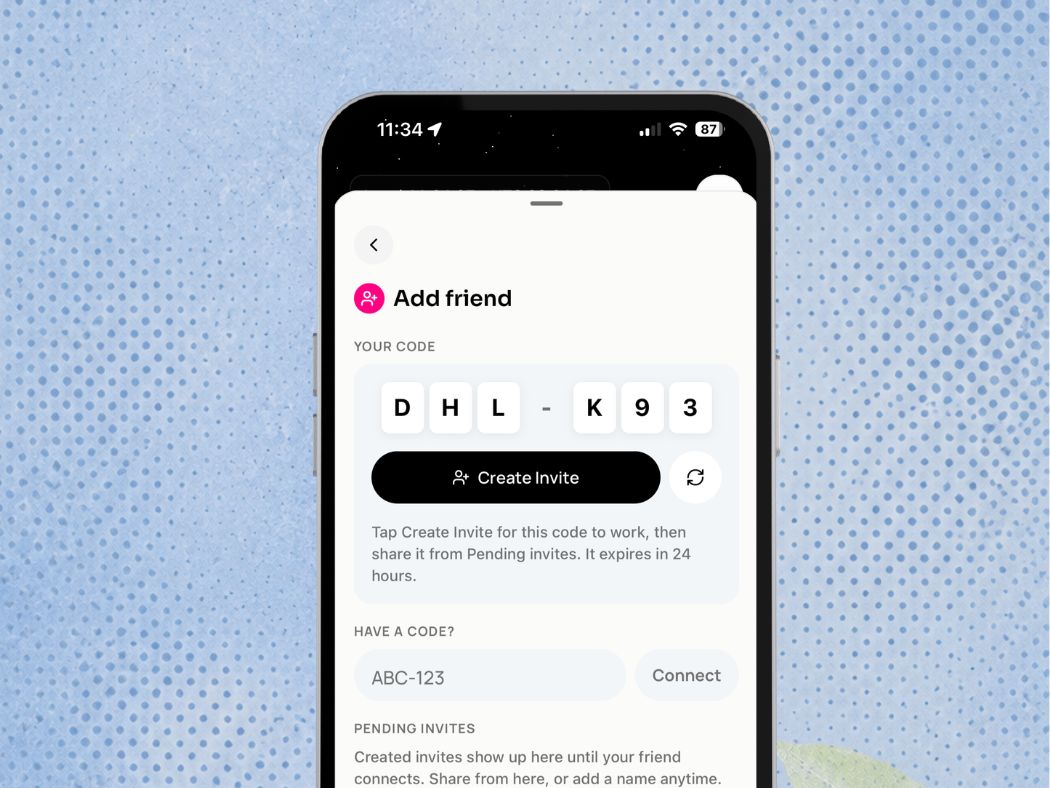
You can now share your upcoming flights with family or friends. Open a flight and generate a tracking link they can follow in real time. Whether it's a partner tracking your long-haul or family knowing when you land, they stay in the loop without you having to send updates mid-trip.

  • Improved Auto-Logging Flow

Flights now automatically log after completion within a 24-hour window, so your logbook stays current without any follow ups.

  • Improved Notifications

Notifications have been refined to surface more useful updates and reduce noise. You'll only hear from us when it matters.

  • Performance Improvements

General performance enhancements and stability improvements across the app.

  • Enhanced Auto-Logging with Enriched Data

Auto-logging now pulls additional flight details to complete your logbook with more accurate information. Key details, routes, and day/night splits are handled for you automatically, so you spend less time entering data and more time trusting your numbers.

Update Required

To access the latest features and improvements, make sure you're running the most recent version of Aviato.

Update: Import your LogTen Flights

This update is one we've been looking forward to shipping. If you've been flying with LogTen Pro, you've spent years building a complete record of your career, and we didn't want you to leave any of it behind when you made the switch.

LogTen Pro Import is now live.

Export your data from LogTen Pro as a CSV, drop it into Aviato's import assistant, and your full flight history will be all in one place. Aviato will handle applying the correct rules, and day/night splits automatically.

How to import your LogTen Pro data

  1. In LogTen Pro, export your logbook as a CSV file
  2. In Aviato, go to Profile → Import Data
  3. Drop in your file and follow the import assistant

Your totals, your hours, your full history. All of it carries over, accurate and ready to use from day one.


Update Required

To access the latest import flow and improvements, make sure you're running the most recent version of Aviato.

Roster Import is Here!

Your flights. Pre-logged. Automatically.

We're excited to release one of our most requested features — Roster Import.

Import your roster directly into Aviato and your upcoming flights are pre-logged and ready before you even step into the flight deck. No more manually entering flights after every duty.

Once your flight is complete, all you need to do is check the details and approve. That's it.

Update: Smarter Rank Imports

This update is going to be slightly different. We’ve received strong positive feedback on our importing system, so we want to share how to use it more effectively with this latest improvement.

Update Required

We’ve refined the importing experience and added new improvements across the app. To access the updated import flow, UI enhancements, and beta features, make sure you’re running the latest version of Aviato.


Import Flights with Different Ranks

If you previously flew under a different rank (e.g. Second Officer), you can import those flights under that rank before switching to your current one. Aviato will automatically apply the correct holder capacity, seat time, and day/night split.

Before You Import

Select the rank you want Aviato to apply during this import.

Steps

  1. Go to Profile → Role Settings
  1. Select the rank you want to import under (e.g. Second Officer)
  1. Confirm the default Holder Capacity (e.g. P2X)
  2. Tap Save
  1. Go to Profile → Import Data
  2. Upload and complete the import flow

That’s it. All flights in that batch will use the selected rank’s configuration. To import flights under another rank (e.g. First Officer), repeat the steps after switching roles.

New Features

Crew Notes
Add crew members to each flight and attach structured notes directly inside the log entry. Record who you flew with, document key details, and keep contextual information tied to the flight itself. Everything stays searchable and organised within your logbook.

Performance and UI Update
The app is faster and more responsive across all flows. Pages load quicker, transitions feel smoother, and key information is easier to scan. The updated interface reduces visual clutter and improves clarity across flight views, imports, and settings.

February 13, 2026

Auto Logging Beta

Automatic flight logging (beta)
We’re releasing our automatic flight logging beta to reduce manual entry and make flight logging easier. Aviato detects and prepares flights in the background using live data, so you spend less time entering details and more time flying. The goal is simple: fewer manual inputs, more accurate times, and a logbook that stays current with minimal effort.

Auto-logging
Flights are detected automatically and prepared for logging without manual setup. Aviato fills in key details so you can review and confirm instead of starting from scratch.

Accuracy checks
Times, routes, and day/night calculations are handled for you. Aviato is designed to reduce common logging errors and keep totals consistent across your logbook.

In-progress and improving
This is an early beta. Auto-logging will continue to improve as we refine detection, accuracy, and edge cases. Your usage helps shape how it evolves before full release.

How to use auto-logging (beta)

Auto-logging works by using your device location and notifications to detect flights in the background. If you have disabled GPS and notifications within the platform this is how to re-enable them.

iOS GPS setup:

  • Go to Settings.
  • Tap Privacy & Security → Location Services.
  • Make sure Location Services is On.
  • Scroll down to Aviato.
  • Tap Aviato and select the option:
    • Always: Allows access to your location even when the app is in the background.

iOS Notifications:

  • Open Settings app
  • Tap Apps
  • Tap on Aviato  
  • Tap Allow Notifications On

Android GPS setup:

  • On your device's home screen, find the Aviato icon.
  • Touch and hold the Aviato icon.
  • Tap App Info
  • Tap Permissions  → Location.
  • Select:
    • Allow all the time

Android Notifications:

  • Open Settings
  • Tap Notifications → App Notifications.
  • To find more apps, tap All Apps.
  • Select Aviato.
  • Turn Notifications on.

What happens next
Once enabled, Aviato monitors your location in the background to detect flights automatically. When a flight is found, it’s prepared for logging with key details filled in, ready for you to review and confirm.

Auto-logging runs quietly in the background. No manual input needed.

January 23, 2026

Android and Flight Tracker

What’s new

Android App
Aviato is now available on Android with a native app. Access your logbook from any Android device, fully synced with your existing data.

Flight Tracker
Share your flight with friends and family and let them track it live on the web. Real-time tracking from departure to arrival, with the option to log flights directly from the tracker. No signup required.

Clearer Flight Views
Past and upcoming flights are easier to see, with a clearer layout and a globe view to visualise routes and flying patterns.

Faster Aviato
Pages load quicker. Searches respond faster. Logging feels lighter. The entire app has been tuned for speed.

Under the hood fixes

We also resolved a batch of long-standing issues affecting:

  • Flight time maths and seat/day-night distribution
  • Crew settings changing unexpectedly
  • Simulator training type locking
  • Import improvements

January 16, 2026

Globe View and Updated UI

What’s new

Live globe view for past and future flights
See your flights plotted from departure to arrival on a live globe. One view of everything you’ve flown and everything coming up.

Faster Aviato
Pages load quicker. Searches respond faster. Logging feels lighter. The entire app has been tuned for speed.

New flight experience UI
Flight pages are simpler and more visual. Routes, timing, and context are clearer at a glance. Less scanning. More understanding.

Under the hood fixes
We also resolved a batch of long-standing issues affecting:

  • Flight time maths and seat/day-night distribution
  • Crew settings changing unexpectedly
  • Simulator training type locking
  • Import Improvements

January 9, 2026

New Dashboard and Improved Time Accuracy

What's New

Dashboard

When you open the app, you’ll instantly see your total time, plus your hours for this month and this year. No hunting through views. No manual checks. Log flights, sims, or imports from the same screen.

Insights
Insights turns your logbook into a planning tool.
Monthly totals. Trends over time. Clear breakdowns.
Use it to manage currency, track progress, and spot gaps before they matter.

Live accuracy
Every chart and total updates the instant you log or import.
No stale numbers. No mismatched views.
One source of truth across your logbook.

Under the hood improvements
We also strengthened the foundations powering both views, including:

  • Flight time maths and aggregation
  • Role and seat attribution
  • Day/night consistency

Import reliability and stability

December 8, 2025

Seamless Importing

Seamless Importing

Aviato now supports direct imports from text-file logbooks. Drop in your file and watch your entire logbook take shape in seconds. Smart rules handle seat-time for each route and crew, so entries come in clean, consistent, and ready to review.

Here’s how it works:

  1. Drop in your file
    Upload your CX logbook and Aviato processes it instantly. CX formats are supported today, with more file types on the way.
  2. Confirm your field mapping
    Aviato auto-detects columns and aligns them to the correct fields. Review the mapping to confirm everything looks right.
  3. Smart rules applied automatically
    Seat-time logic is applied based on route length and typical crew numbers. For example, HKG–LHR defaults to a four-crew pattern with a 50% block-time split. Day/night allocation is coming soon.
  4. Enriched data (coming soon)Each flight is enriched with verified data. Flight time, route, and runways used are added to produce a cleaner, more complete log entry.
  5. Learning over time
    As you import or log more flights, Aviato adapts to your flying patterns. If you regularly operate Australia or Anchorage routes, Aviato predicts the likely crew configuration and applies it automatically, making each import faster and more accurate over time.

Learn More

November 20, 2025

Aviato Mobile has arrived.

Aviato Mobile has arrived.

Bring the speed and power of Aviato to your pocket with our fast, compact, and fully native iOS app. (Android coming soon).

Use the app to stay informed about important updates, log flights on the go, and keep your records moving whenever necessary. Aviato Mobile is purpose-designed for “away from keyboard” workflows, so you can move your logbook forward, no matter where you are.

Download now

October 13, 2025

Aviato — Early Access Rebuild

Aviato — Early Access Rebuild

A new Aviato is here

We’ve rolled out a completely rebuilt version of Aviato to be faster, more stable, and designed to make flight logging feel effortless.

Here’s what’s new:

  • New architecture: Rebuilt from the ground up for speed, reliability, and smoother syncs.
  • Smarter time control: Fine-grained input so you can log flights exactly how you want.
  • Block vs. Flight time toggle: Switch between time modes instantly.
  • Refined settings: Cleaner layout and easier customization.
  • Streamlined onboarding: Getting started takes minutes, not hours.
  • Updated UI: Sharper visuals and a more consistent flow across the app.
  • Improved mapping presets: Automatically detects holder capacity, no guesswork needed.
  • Enhanced Flight Summary: Manually adjust or fine-tune times directly after logging.
Aviato Logo
Aviato

The smartest flight tracking app. Made with love.

Product

  • Pricing
  • Features

Compare

  • Aviato vs LogTen Pro
  • Aviato vs MyFlightbook
  • Aviato vs Safelog
  • Aviato vs MCC Logbook
  • Aviato vs CrewLounge
  • Aviato vs PilotLog
  • Aviato vs ZuluLog

Company

  • About
  • Press
  • Privacy Policy
  • Terms of Service

Support

  • Help Center
  • Contact
  • Business

Resources

  • Blog
  • Changelog
  • Wallpapers
  • Import templates

Made with love in London, Singapore and Melbourne.